
Less spaghetti.More possibility.
GlooPrint is a Blueprint formatter for Unreal Engine 5.8. Press F to arrange your whole active graph and draw readable wires.
Give it a tryBuilt for the moments between
“what if” and “that works.”
Same logic.
A clearer picture.
Follow the idea, not the spaghetti.
GlooPrint brings order to execution chains, shared inputs, and disconnected groups—all in the active graph.
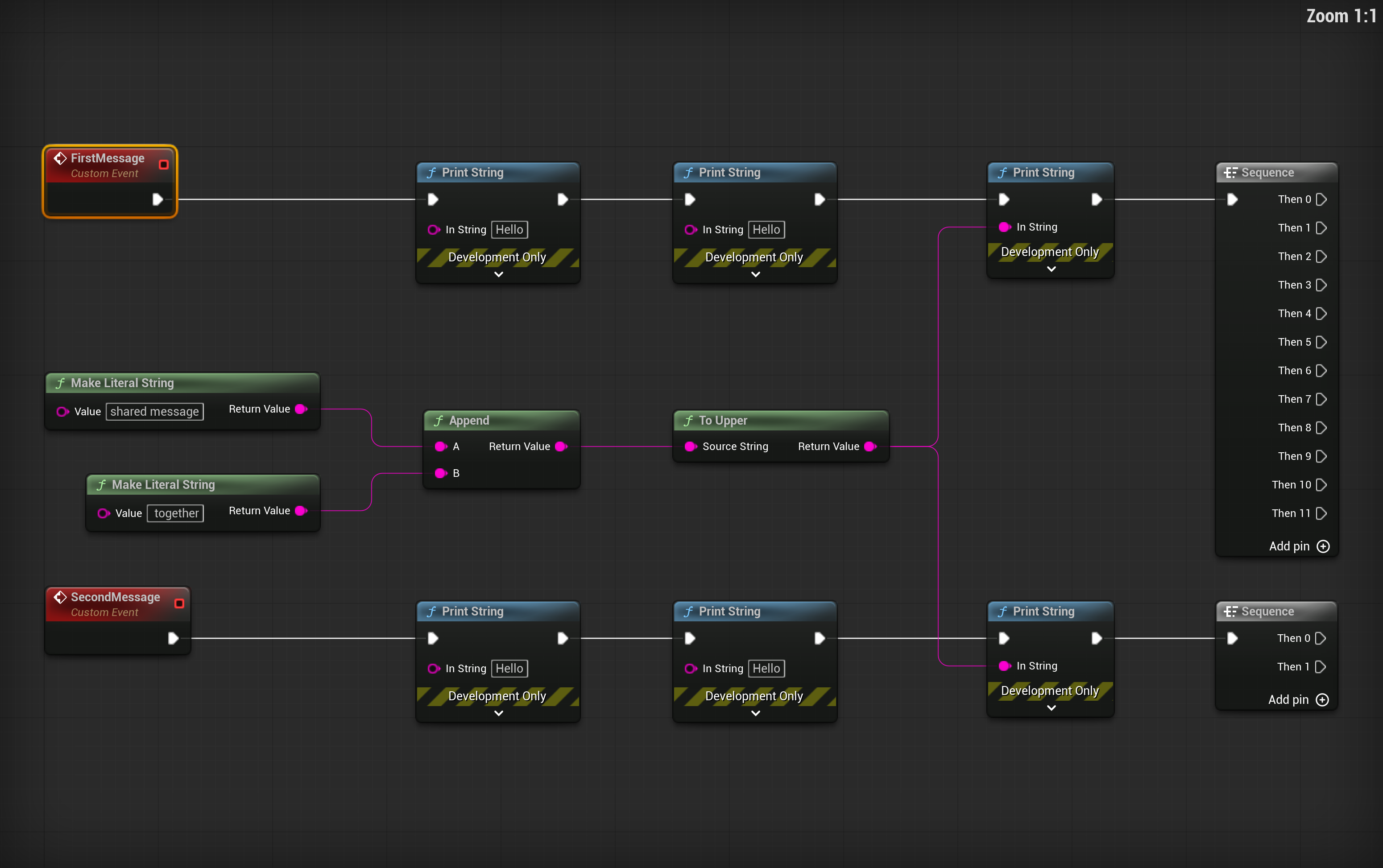
The whole graph.
Connected or not, every group gets attention. Selection chooses the anchor.
Your place, preserved.
The selected anchor stays put. So do your camera, zoom, and selection.
Always your logic.
Connections, pin defaults, and native nodes stay intact. Undo a layout in one step.
Good connections.
Great character.
Three ways to find your flow.
Keep native pin colors, hover feedback, and execution highlighting. Your familiar wire gestures stay familiar.
Clean right angles. Soft corners. A little structure goes a long way.
Less arranging.
More creating.
The source release candidate is ready to explore.
Built for Unreal Engine 5.8.
Make yourself at home.
Close your project. Download the source package and place the GlooPrint folder in
YourProject/Plugins/.Build. Enable. Open.
Compile with your matching UE 5.8 C++ toolchain, then enable GlooPrint under Edit → Plugins. Restart if prompted.
And now, the good part.
Open your Blueprint graph. Select an anchor, focus the canvas, and press F. That’s your new flow.
Keep the context.
Comments stay with their groups. Existing reroutes remain part of your graph. The little things matter.